Safety guide

Is voice AI safe for everyday voice creation?

Is voice AI safe depends less on the novelty of the technology than on the provider, the data you submit, and how you use the resulting audio. Use this guide to separate reasonable precautions from exaggerated fears.

Real-world context

What voice AI actually is

A synthetic voice service turns written or recorded input into generated speech. The safest choice depends on the scenario, the rights behind the input, and the audience hearing the result.

Video creator

You need narration for an explainer, tutorial, or short-form video without recording every line yourself.

Use original copy, disclose synthetic narration where it matters, and review the final track for misleading edits.

voice ai reviews

Character designer

You are testing dialogue, tone, or pacing for an original fictional character.

Keep the character distinct from a real person and avoid uploading private recordings as style references.

is voice ai legit

Small team

A team needs consistent spoken directions for internal training or product demonstrations.

Limit access to source material, document approval, and choose a provider with understandable data handling terms.

voice ai reviews
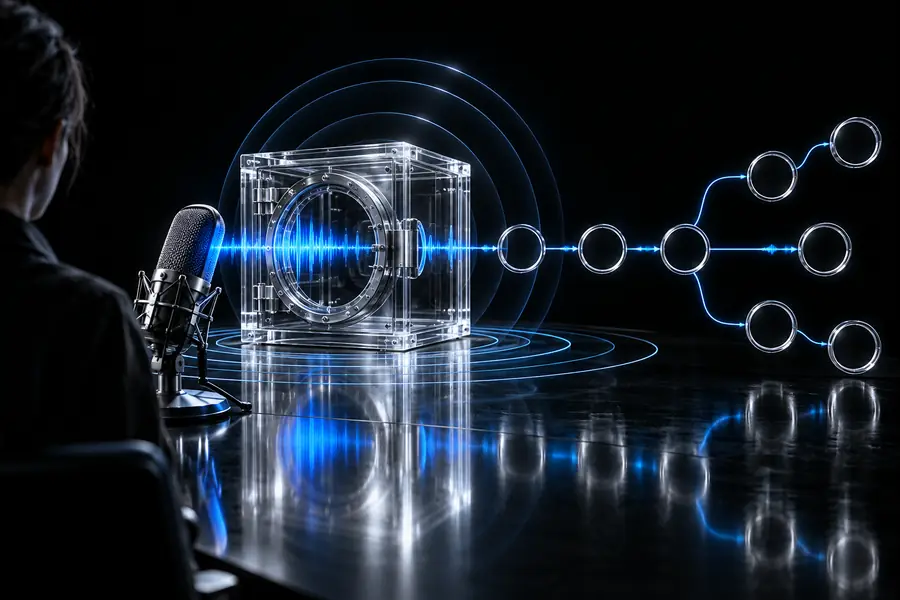
Safety workflow

Boundary conditions

A short review before generation can prevent most avoidable problems without treating every synthetic voice as inherently dangerous.

Check the input

Remove personal, confidential, or identifying information unless you have a clear reason and permission to submit it.

Check the rights

Confirm that you own or are authorized to use the script, recording, voice likeness, and any requested imitation.

Check the output

Listen for errors, misleading phrasing, impersonation risk, and context that could cause an audience to misunderstand the audio.

Know the limits

When not to use voice AI

There are situations where convenience is not worth the privacy, consent, or trust trade-off.

Private or regulated material

Do not submit medical, financial, legal, authentication, or confidential workplace content simply to save recording time.

WorkaroundUse approved internal tools, redact the script, or record locally with a process your organization controls.

Impersonating a real person

A familiar voice can mislead listeners even when the words are harmless, especially in messages that appear official or urgent.

WorkaroundUse an original voice and state clearly when audio is synthetic.

High-stakes instructions

Generated speech can mispronounce names, numbers, warnings, or specialized terms and should not be the sole authority in critical settings.

WorkaroundHave a qualified person review the script and final recording before release.

Decision table

Safer use versus careless use

The difference is usually visible in the surrounding process: consent, data minimization, disclosure, and human review.

Safer practice Careless practice
1

Voice source

Safer practice

Use an original or authorized voice.

Careless practice

Copy a recognizable person without permission.

2

Submitted text

Safer practice

Share only the words needed for the task.

Careless practice

Paste private records, secrets, or identifying details.

3

Audience clarity

Safer practice

Disclose synthetic speech when context could be misleading.

Careless practice

Present generated audio as a real statement or call.

4

Review

Safer practice

Listen and proofread names, numbers, tone, and meaning.

Careless practice

Publish the first output without checking it.

5

Purpose

Safer practice

Use it for drafts, creative work, or routine narration.

Careless practice

Use it as the only voice in a high-stakes decision.

6

Provider claims

Safer practice

Read the service terms and data practices before uploading.

Careless practice

Assume every provider stores, deletes, or protects data the same way.

Visual comparison

From unchecked upload to reviewed output

Before: assume

Voice AI safety question shown as an unchecked workflow
Voice AI use shown as a reviewed and clearly labeled workflow
After: verify

The safer result comes from the process around generation, not from a single button.

Quick framework

Three checks worth remembering

Use these checkpoints as a compact review before you generate or publish.

Share only the minimum text or audio needed.
1 input
Confirm permission for the voice, script, and intended use.
2 rights
Check pronunciation, context, and disclosure before release.
3 reviews

Make a considered start

Create with clearer boundaries

Voice Maker can support creative and routine narration when you keep sensitive material out, respect voice rights, and review what the audience will hear. Start with a low-risk draft and make the final decision with the intended context in mind.

  • Use original or authorized voice material
  • Review every important output
  • Keep private data out of prompts

Common questions

FAQ: Is voice AI safe?

It can be appropriate for low-risk creative work when you avoid private information and use an original or authorized voice. Review the service terms and the final audio before sharing it.

That depends on the provider, its settings, and its current data policy, so do not assume that submitted material is immediately deleted. Read the relevant terms and avoid uploading confidential content unless the arrangement is approved.

Permission and local law matter, and a recognizable imitation can create privacy, publicity, copyright, or deception concerns. The safest general practice is to use an original voice or obtain clear authorization for the specific use.

Disclosure is especially important when listeners could reasonably mistake the recording for a real person's words or a live recording. In ordinary creative narration, a clear label can help preserve audience trust without distracting from the content.

Start creating
Start creating